Course overview.
Hands-on throughout, working through real automation scenarios: an approval workflow with conditional routing, a SharePoint-to-Teams notification chain, a scheduled report assembled from multiple sources, a holiday-request system. By the end of the day you'll have built and deployed working flows and you'll know which patterns to reach for next.
Who it's for.
Process owners, business analysts, IT professionals, operations leads and citizen developers wanting to remove repetitive work from their team's plate. Particularly useful for anyone running approval-heavy processes, scheduled-report workflows or cross-application data movement on Microsoft 365.
What you'll learn.
Cloud flows — the building blocks
Triggers, actions, connectors, conditions, loops and variables — the flow primitives covered with hands-on exercises. We build several useful flows from scratch (form-to-Teams, SharePoint-to-Outlook, scheduled summary) so the conceptual model lands properly.
Approvals and the human-in-the-loop pattern
Approvals are the highest-value Power Automate use case in most organisations. We cover the approval action, parallel branches, conditional routing, escalation timeouts and the audit-trail patterns that make approval workflows genuinely trustworthy.
Error handling, monitoring and governance
The discipline that distinguishes flows you can rely on from ones that silently fail at 3am. Run history, configure-run-after, scope blocks, alerting, environment management and the documentation patterns mature organisations use to keep their flow estate manageable.
Course overview.
Learn how to use Microsoft Power Automate to automate repetitive tasks, connect business applications and create efficient digital workflows. Across one day, you'll explore how to build automated processes using triggers, actions and conditions, helping reduce manual work and improve productivity. The course focuses on practical workplace automation, showing how Power Automate can be used to streamline everyday business processes across Microsoft 365 and other connected services.
Who it's for.
This course is designed for business users, administrators, managers, analysts and professionals who want to automate repetitive tasks and improve the efficiency of their everyday workflows. It is suitable for beginners as well as existing Microsoft 365 users who want to develop practical automation skills. No programming experience is required, although basic familiarity with Microsoft 365 is helpful.
What you'll learn.
You'll learn how to use the key tools and functions within Microsoft Power Automate, including automated flows, instant flows, scheduled flows, triggers, actions, conditions, approvals, variables, expressions, connectors and dynamic content. You'll explore how to connect services such as SharePoint, Microsoft Teams, Excel, OneDrive and Microsoft Forms, create automated notifications and approvals, move and process information between applications and use conditions to make workflows respond intelligently to different situations. The course also covers testing, troubleshooting and managing flows so you can create reliable automation solutions for real-world workplace processes.
This course is fully fundable through ReACT+.
If you've been made redundant or are facing redundancy in Wales, the Welsh Government's ReACT+ scheme can fund up to £1,500 toward this course — plus childcare, travel and accommodation expenses. We'll handle the application.
Benefits of Attending This Course
Learn how to use Microsoft Power Automate to streamline business processes, automate repetitive tasks and improve operational efficiency. Gain practical workflow automation skills that increase productivity and support digital transformation across your organisation.
Ascent Training Wales · Bridgend.
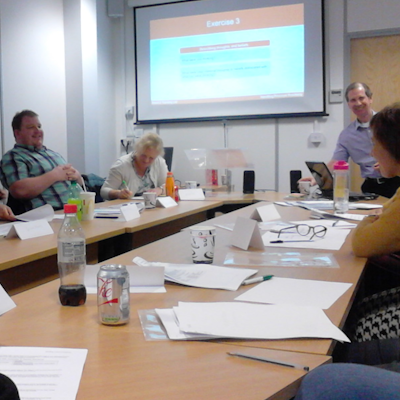
Our conference room is purpose-built for effective training — bright, modern, and fully equipped for workshops, seminars and accredited sessions.
Llynfi Enterprise CentreHeol Ty Gwyn Industrial Estate
Maesteg, Bridgend, CF34 0BQ

Automate Workflows with Microsoft Power Automate
Streamline Repetitive Tasks
Learn how to create automated workflows that reduce manual effort, improve efficiency and save valuable time.
Connect Business Applications
Discover how Power Automate integrates with Microsoft 365 and other services to simplify processes and improve collaboration.
Drive Digital Transformation
Develop practical skills to automate approvals, notifications, data handling and business processes that enhance organisational productivity.
Common questions.
Quick answers to what most people ask before booking. Still need help? Get in touch.
How long is the course and where is it delivered?
How much does it cost and what's included?
When is the next date available?
Is this course eligible for ReACT+ funding?
Can you deliver this course in-house for our team?
From the classroom.
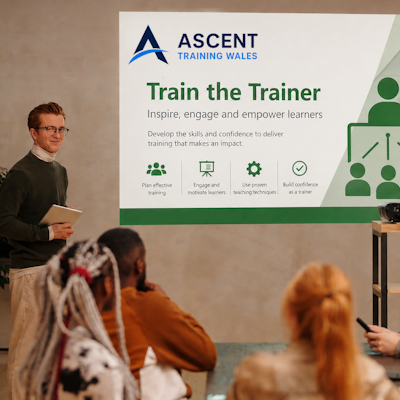
Our Bridgend venue is purpose-built for working learning — bright, modern, configurable for cohorts of four to twelve, with quality AV throughout and free parking right outside.


Llynfi Enterprise Centre · Bridgend · More about our venue →
More in Computing.
Courses that pair well with Microsoft Power Automate, or that your team often takes as a sequence.


Ready when you are.
Book Microsoft Power Automate for £275 a seat, or send us a brief and we'll come back with a tailored in-house quote for your team within two working days.