Course overview.
Learn to create and manage document libraries, build basic intranet sites, and collaborate with your team effectively. By the end of this course, you will have a solid foundation in using SharePoint to streamline your work and enhance team collaboration.
Who it's for.
This course is perfect for individuals who are new to Microsoft SharePoint or have limited experience with it. It's ideal for professionals, team members, project managers, and anyone looking to enhance their proficiency in using SharePoint for collaboration and document management. If you are eager to explore the world of SharePoint and learn how to effectively collaborate with your team, this course is your ideal starting point.
What you'll learn.
In our Microsoft SharePoint course, you will delve into essential topics, including creating document libraries, setting up basic intranet sites, sharing and collaborating on documents, and understanding SharePoint's core capabilities. Through hands-on projects and practical exercises, you will gain the knowledge and skills necessary to use SharePoint for efficient collaboration and document management. Upon completion, you will be well-equipped to navigate SharePoint, create document libraries, and work effectively with your team using this platform.
Microsoft SharePoint Beginner Course overview.
Learn the fundamentals of Microsoft SharePoint and discover how it can be used to store, organise and share information across a team or organisation. This beginner-friendly course introduces the SharePoint environment and shows you how to work with sites, pages, document libraries, lists and shared content in a practical and structured way.
You'll learn how SharePoint can provide a central location for team information and documents, helping users find content quickly and work collaboratively. The course focuses on everyday SharePoint tasks, from uploading and organising files to creating simple sites, managing documents and sharing information securely with colleagues.
Who it's for.
This course is designed for beginners who are new to Microsoft SharePoint, as well as anyone who uses SharePoint within their organisation but wants a better understanding of how the platform works. It's ideal for office professionals, administrators, team members, project staff and managers who need to work with shared documents and information.
No previous SharePoint experience is required. Basic familiarity with Microsoft 365 and everyday computer use is helpful, but the course starts with the fundamentals and gradually introduces the key features you'll need to work confidently with SharePoint.
What you'll learn.
You'll learn how to navigate SharePoint sites, understand the difference between sites, pages, document libraries and lists, and locate information efficiently. You'll create and organise documents, upload files, create folders and work with common document management features such as version history, file sharing and permissions.
You'll explore how to create and customise basic SharePoint pages, add useful web parts and organise content so that information is easy for a team to access. You'll also learn how to create simple lists for managing structured information, including adding columns, sorting and filtering content.
The course will introduce practical collaboration workflows, including sharing documents with colleagues, working on files together and understanding how SharePoint works alongside Microsoft Teams and OneDrive. You'll also learn important principles for keeping shared information organised and ensuring users have appropriate access to content.
By the end of the course, you'll be able to confidently navigate SharePoint, manage documents and shared information, create basic site content and use SharePoint as a central workspace for team collaboration and document management.
Microsoft SharePoint Intermediate Course overview.
Build on your existing SharePoint knowledge and learn how to create more structured, collaborative and effective team workspaces. This intermediate course explores document libraries, lists, pages, permissions and collaboration features in greater depth, helping you use SharePoint as a practical platform for managing information and supporting team workflows.
You'll learn how to organise information more effectively, create useful SharePoint sites and manage content so that teams can find what they need quickly. The course also explores how SharePoint works alongside Microsoft 365 applications such as Teams and OneDrive, helping you develop more connected and efficient ways of working.
Who it's for.
This course is designed for users who already have a basic understanding of SharePoint and want to develop more advanced site, content and collaboration skills. It's ideal for team members, administrators, project coordinators, managers, content owners and Microsoft 365 users who are responsible for organising or maintaining shared information.
You should already be comfortable navigating SharePoint sites, uploading and managing documents and using basic lists or pages. The course builds on these skills and focuses on creating more structured workspaces, improving information management and supporting effective collaboration.
What you'll learn.
You'll learn how to create and structure SharePoint sites and pages, organise navigation and use web parts to present useful information. You'll explore how to create and customise document libraries and lists, including columns, views, sorting, filtering and validation options to make information easier to manage and access.
You'll develop your document management skills by working with metadata, version history, document sets, sharing and permissions. You'll learn how to organise files without relying solely on folders, control access to information and maintain reliable document histories when multiple people are working on shared content.
You'll also explore SharePoint collaboration features, including co-authoring, comments, alerts and integration with Microsoft Teams and OneDrive. You'll learn how SharePoint content can be surfaced within Teams and how to create more efficient workflows between shared documents, team sites and everyday Microsoft 365 applications.
By the end of the course, you'll be able to create and manage more effective SharePoint workspaces, structure information logically, build useful lists and libraries, manage access and support collaborative working. You'll have the confidence to use SharePoint as a central platform for organising team information and managing documents throughout a project or department.
Microsoft SharePoint Advanced Course overview.
Take your Microsoft SharePoint skills to an advanced level and learn how to design, structure and manage sophisticated SharePoint environments for teams and organisations. This course builds on your existing SharePoint knowledge and focuses on advanced information management, permissions, document management, site architecture, collaboration and automation.
You'll explore how to create scalable SharePoint solutions that make information easier to manage, locate and maintain. The course focuses on practical techniques for building structured sites, managing complex content, controlling access and connecting SharePoint with other Microsoft 365 services to create more efficient organisational workflows.
Who it's for.
This course is aimed at experienced SharePoint users, site owners, administrators, Microsoft 365 professionals, project leads and information managers who are responsible for designing or maintaining SharePoint workspaces. It is particularly suited to users who need greater control over information architecture, permissions, document management and collaboration.
You should already be confident creating and managing SharePoint sites, libraries, lists and pages, as well as working with sharing and permissions. A good understanding of Microsoft 365 and collaborative document management is recommended, as the course focuses on advanced SharePoint capabilities and organisational workflows.
What you'll learn.
You'll learn how to design effective SharePoint information architecture, including site structures, navigation, hubs, libraries, lists and metadata. You'll explore how to organise large quantities of information using content types, managed metadata, views and custom columns, making content easier to find and maintain across an organisation.
You'll develop advanced document management skills, including version control, retention considerations, document approval processes and sophisticated library structures. You'll also learn how to manage permissions and access using groups and appropriate permission levels, helping you control sensitive information while still supporting effective collaboration.
You'll explore advanced SharePoint pages and collaboration features, including SharePoint hub sites, navigation, web parts and personalised content. You'll also examine how SharePoint integrates with Microsoft Teams, OneDrive and other Microsoft 365 services so that information can be accessed and managed consistently across the wider digital workplace.
The course will also introduce advanced workflow and automation concepts, including how Microsoft Lists, Power Automate and SharePoint can work together to reduce manual processes. You'll learn how automated notifications, approvals and information flows can be used to improve efficiency and create more consistent working practices.
By the end of the course, you'll be able to design and manage sophisticated SharePoint environments, structure information effectively, control access to content and support advanced collaboration. You'll have the knowledge to use SharePoint as a strategic platform for information management, document control and streamlined Microsoft 365 workflows.
This course is fully fundable through ReACT+.
If you've been made redundant or are facing redundancy in Wales, the Welsh Government's ReACT+ scheme can fund up to £1,500 toward this course — plus childcare, travel and accommodation expenses. We'll handle the application.
Benefits of Attending This Course
Gain practical Microsoft SharePoint skills to manage documents, improve collaboration and create efficient digital workspaces. Learn how to organise information securely, streamline business processes and support productive teamwork across your organisation.
What delegates said.
A few examples of the kind of feedback delegates might share after completing our Microsoft SharePoint training — making it easier to organise information, collaborate with colleagues and manage documents.
I had used SharePoint before but didn't realise how much more we could do with it. The course helped me understand sites, document libraries and permissions in a way that finally made sense.
The training was practical and easy to follow. I came away with a much better understanding of how to organise team documents and share information without everything being buried in email inboxes.
A really useful introduction to SharePoint. The trainer explained the different features clearly and showed us practical ways to collaborate and keep our team information organised.
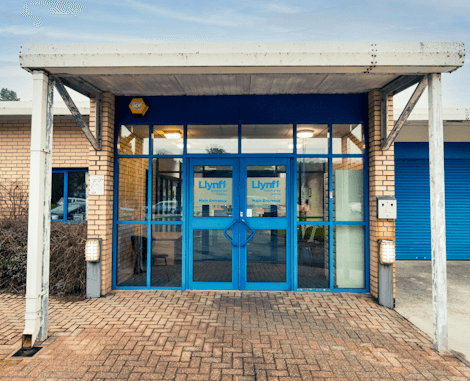
Ascent Training Wales · Bridgend.
Our conference room is purpose-built for effective training — bright, modern, and fully equipped for workshops, seminars and accredited sessions.
Llynfi Enterprise CentreHeol Ty Gwyn Industrial Estate
Maesteg, Bridgend, CF34 0BQ
Collaborate Effectively with Microsoft SharePoint
Build and Manage SharePoint Sites
Learn how to create, customise and manage SharePoint sites that support document management, communication and team collaboration.
Improve Information Sharing
Develop practical skills to organise content, manage permissions and enable secure access to information across your organisation.
Enhance Workplace Productivity
Discover how SharePoint integrates with Microsoft 365 to streamline workflows, improve collaboration and support efficient digital working.
Common questions.
Quick answers to what most people ask before booking. Still need help? Get in touch.
How long is the course and where is it delivered?
How much does it cost and what's included?
When is the next date available?
Is this course eligible for ReACT+ funding?
Can you deliver this course in-house for our team?
From the classroom.
Our Bridgend venue is purpose-built for working learning — bright, modern, configurable for cohorts of four to twelve, with quality AV throughout and free parking right outside.

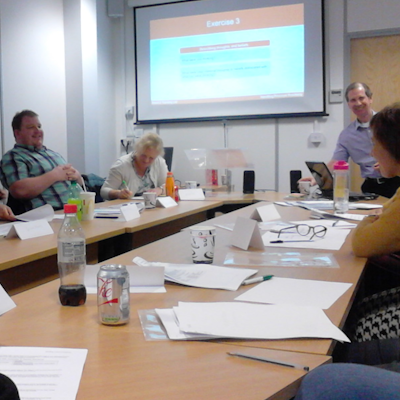
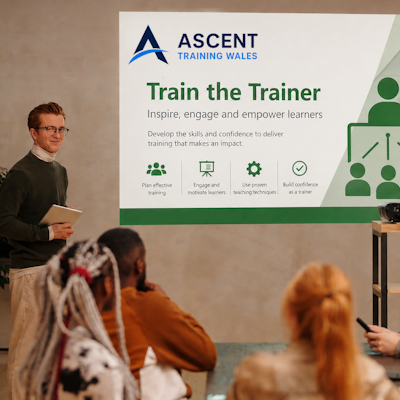
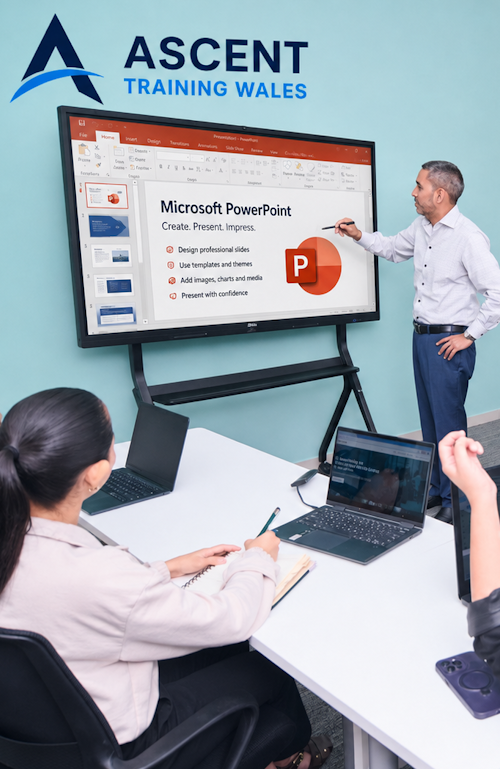
Llynfi Enterprise Centre · Bridgend · More about our venue →
More in Computing.
Courses that pair well with Microsoft SharePoint, or that your team often takes as a sequence.


Ready when you are.
Book Microsoft SharePoint for £195 a seat, or send us a brief and we'll come back with a tailored in-house quote for your team within two working days.