Course overview.
We work through real administrative scenarios — onboarding a department, recovering a lost account, applying a conditional-access policy, investigating a phishing report, restoring deleted data. By the end of the day you'll be comfortable across the day-to-day administrative surface and you'll know where the documentation lives for the cases we didn't cover.
Who it's for.
New IT administrators, helpdesk staff stepping up to admin responsibilities, technical sole-traders supporting small businesses on Microsoft 365, and IT generalists in organisations where the Microsoft estate has grown beyond what an ad-hoc approach can manage.
What you'll learn.
Tenant, users and licences
The administrative spine of Microsoft 365 — tenant configuration, user provisioning (manually, in bulk, via Entra ID sync), licence assignment, group-based licensing, and the auditing controls that tell you who has what and why.
Security and compliance basics
The security baselines, conditional-access policies, MFA configuration and audit-log review every administrator should be comfortable with. Plus the compliance centre features that help you respond to data-subject access requests and retention requirements.
Services, devices and the inevitable ticket
Service-level administration for Exchange, SharePoint, Teams and Intune — and the diagnostic workflow that turns a vague 'it's not working' ticket into a resolved one. Includes the cases where the answer is to escalate to Microsoft support.
Course overview.
Learn how to use the Microsoft 365 Admin Center to manage users, licences, services and key organisational settings from a central administration portal. This practical one-day course introduces the core tools and administration features needed to confidently manage a Microsoft 365 environment, with hands-on guidance throughout.
Who it's for.
This course is designed for IT administrators, support staff, office managers and professionals responsible for managing Microsoft 365 within an organisation. It is suitable for beginners and those who already use Microsoft 365 but want a clearer understanding of the Admin Center and its core administrative functions. No advanced Microsoft 365 administration experience is required.
What you'll learn.
You'll learn how to navigate the Microsoft 365 Admin Center, manage users and groups, assign and manage licences, reset passwords, configure basic organisational settings and monitor service health. The course also introduces administration of key Microsoft 365 services, including Microsoft Teams, SharePoint and OneDrive, alongside practical guidance on managing access, security settings and common administration tasks.
This course is fully fundable through ReACT+.
If you've been made redundant or are facing redundancy in Wales, the Welsh Government's ReACT+ scheme can fund up to £1,500 toward this course — plus childcare, travel and accommodation expenses. We'll handle the application.
Benefits of Attending This Course
Develop the skills needed to manage Microsoft 365 environments efficiently using the Admin Centre. Learn how to administer users, improve security, configure services and support a productive digital workplace.
Ascent Training Wales · Bridgend.
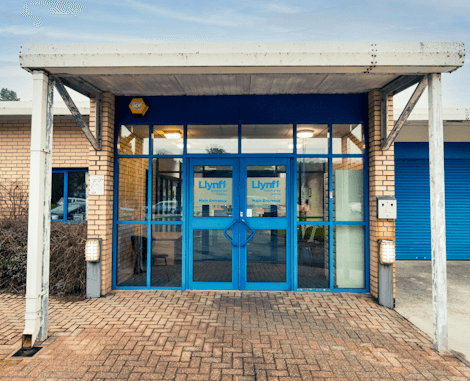
Our conference room is purpose-built for effective training — bright, modern, and fully equipped for workshops, seminars and accredited sessions.
Llynfi Enterprise CentreHeol Ty Gwyn Industrial Estate
Maesteg, Bridgend, CF34 0BQ
Master Microsoft Admin Centre Management
Manage Microsoft 365 Effectively
Learn how to configure, manage and maintain Microsoft 365 services using the Microsoft Admin Centre with confidence.
Improve Security and Administration
Develop practical skills for managing users, permissions, settings and security controls across your organisation.
Optimise Digital Workplace Management
Gain the knowledge to streamline administration, support users and maximise the value of Microsoft 365 technologies.
Common questions.
Quick answers to what most people ask before booking. Still need help? Get in touch.
How long is the course and where is it delivered?
How much does it cost and what's included?
When is the next date available?
Is this course eligible for ReACT+ funding?
Can you deliver this course in-house for our team?
From the classroom.
Our Bridgend venue is purpose-built for working learning — bright, modern, configurable for cohorts of four to twelve, with quality AV throughout and free parking right outside.

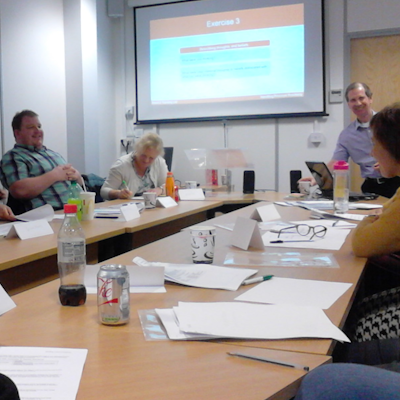
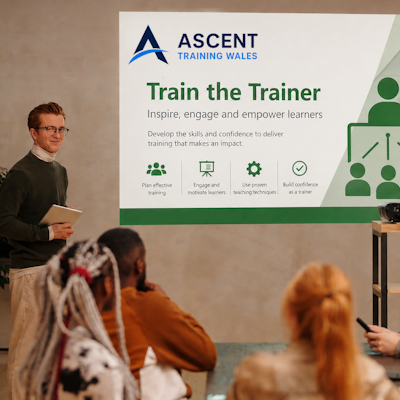

Llynfi Enterprise Centre · Bridgend · More about our venue →
More in Computing.
Courses that pair well with Microsoft 365 Admin Centre, or that your team often takes as a sequence.



Ready when you are.
Book Microsoft 365 Admin Centre for £275 a seat, or send us a brief and we'll come back with a tailored in-house quote for your team within two working days.